 Suuudokuuu
Review Your Sudoku Solve Move by Move
Updated
Suuudokuuu keeps your 20 most recent finished games for each difficulty in your history, and any of them with a stored move record can be replayed move by move. Reviewing a solve is one of the quickest ways to learn: you see where you were fast, where you stalled, and which technique each placement was really using.
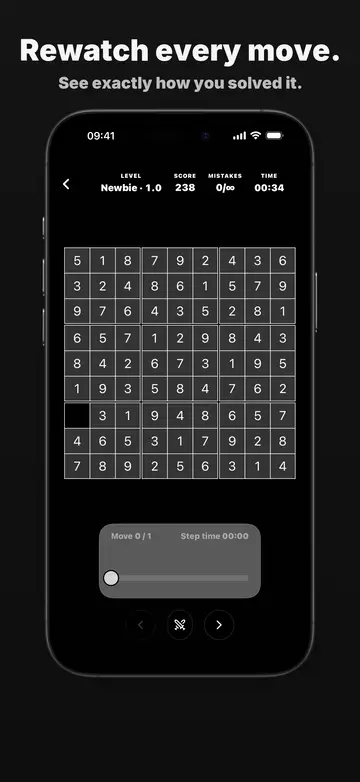
What the replay shows
The header repeats the facts of the run: the difficulty with its Sudoku Explainer rating, your score, your mistakes and your total time. Under the board a card shows which move you are on, out of how many, and how long that step took. Previous and next buttons step one move at a time, and the progress bar scrubs to any point.
Technique labels on every move
Each placement is classified by the technique that justified it, such as a naked single or a hidden pair, using the same detector as the technique guides. A move that a hint produced carries a “via hint” badge, which makes it easy to spot where you needed help. See how hints work on the sudoku hints explained page.
Learning from a replay
- Find the longest steps and ask what you were missing at that point.
- Look for techniques you never used, then read their guide and look for them on your next puzzle.
- Compare a replay of an easy puzzle with a harder one to see where singles stop being enough.
Sharing a finished game
The replay screen has a share button. For an ordinary game it shares the puzzle; for a challenge run it sends a challenge, so a friend can race your recorded run. That is covered on challenge a friend. Your wider statistics are on track your progress.
Open Suuudokuuu

Replay FAQ
Where do I find the replay?
Open the Stats tab, choose a difficulty, then press Replay on a finished game. A game shows the button when its move record was stored.
Does the replay need an internet connection?
No. Completed games are stored on your device and replay offline.
Can I see which moves used a hint?
Yes. Moves produced by a hint carry a “via hint” badge next to the technique name.